Zenu Proxies Setup: Buying, Dashboard & First Test
You can compare Zenu Proxies packages before signing in. The purchase path is: browse the public shop, choose a product, sign in with Discord, review a package, and pay through Stripe Checkout. Your dashboard is where you review the resulting order and its available proxy controls.
This guide explains that path and the checks to make before your first use. It does not establish compatibility with a particular retailer or promise a checkout result.
Compare the package unit first
Open the public proxy shop. Compare the starter package total with its unit rate and billing term. A lower unit rate on a larger package can still mean a higher total payment.
| Package | What to compare | What to verify before payment |
|---|---|---|
| Residential bandwidth | GB included and the rate per GB | Available region, session settings, and data validity |
| ISP IP package | Number of addresses and package total | Product location, duration, and renewal terms |
| Datacenter IP package | Number of addresses and package total | Intended purpose, supported protocol, duration, and stock |
GB and IP count measure different things. GB is transferred data; an IP package counts addresses. Neither unit tells you whether a particular store will accept a connection.
Product names and available packages can change. Use the catalog to compare the current lineup, then confirm the selected package details before paying. Avoid treating a price in a guide or screenshot as a current offer.
For the wider tradeoffs, read residential vs ISP vs datacenter proxies.
Choose a product, then sign in
Select View packages for a product in the shop. Discord sign-in connects the next steps to your Zenu account and returns you to the chosen product's package options.
Use the Discord account you want to manage the order with. If you already have Zenu orders, check that you are signing in with the same account rather than creating a second account by mistake.
You can return to the public shop without completing a purchase. Browsing prices does not require a payment.
Review the exact package in Stripe Checkout
Before confirming payment, check:
- The product and package quantity.
- The currency and final total.
- Whether the purchase is one-time or recurring, including any displayed billing interval.
- The selected product's duration, availability, and renewal terms.
- The terms and conditions.
Review any discount in the final total. Do not assume every product renews in the same way or that unused bandwidth and fixed IP packages have the same validity rules. If the package terms are unclear, contact support before paying.
Find the order in your dashboard
After payment, open your Zenu dashboard using the purchasing Discord account. Review the order status and the product controls shown for that order. Different product types expose different controls, such as viewing an assigned proxy list or generating residential sessions.
If the order is pending, allow the status to update and check that the account matches the purchase. Some products or delivery issues may require manual review. Contact support with the order reference if it remains unresolved; placing another order can create a second charge without fixing delivery.
Keep proxy passwords and full proxy lists private. Share masked diagnostics with support and provide credentials only through a support method the team explicitly requests.
Check the first list before using it
Start with a small test that matches your software's requirements:
- Check the expected import format and protocol in your software.
- Copy the full proxy line from the available product controls, including any session parameters.
- Check authentication and basic connectivity from the machine that will use the list.
- If you are permitted to test the target site, make a limited check and review the response.
- Record the result and investigate failures before increasing traffic.
Use the proxy format guide for import examples and Zenu Proxy Tester for local checks. A connection test does not prove that an account, queue, or checkout will work later. A challenge, access denial, or rate limit is a reason to stop and review the setup.
Review renewal options for your order
Check the dashboard status and the terms you accepted for the specific package. A recurring subscription and an eligible manual renewal are different flows. The controls available for one product may not appear for another.
Do not assume that renewing extends every package by 30 days, replaces every IP, or preserves all unused data. Confirm the displayed terms and contact support if you need help interpreting the options before making another payment.
Choose the next guide for your setup
- Proxy format and authentication troubleshooting.
- How to test proxies before a drop.
- Pokémon Center session and queue considerations.
- Target store and fulfillment considerations.
- Walmart setup considerations.
Use proxies only for traffic you are authorized to send. They do not change a retailer's rules, entry limits, or access permissions.
Frequently asked questions
Do I need to sign in to see Zenu proxy pricing?
No. The public shop displays package comparisons, starting prices, and stock information. Discord sign-in is needed after you choose a product to continue to its package options and connect the purchase to your account.
Is every Zenu proxy package a subscription?
No single billing rule applies to every package. Review the selected package and Stripe Checkout for its billing interval, renewal terms, and final total before paying.
What should I do if my paid order is still pending?
Sign in with the Discord account used for the purchase, check the dashboard order status, and contact Zenu support with the order reference if it remains pending. Do not place a duplicate order to fix a delivery delay.
Related Posts
How Many Proxies Do You Need? Task Ratios by Site in 2026
Learn how many proxies to start with for Pokemon Center, Target, Walmart, Shopify, SNKRS, and other retail restocks.
Proxy Speed vs Proxy Quality: What Matters on Drop Day
Learn when proxy speed matters, when proxy quality matters more, and how to balance latency, trust, region, and stability before a drop.
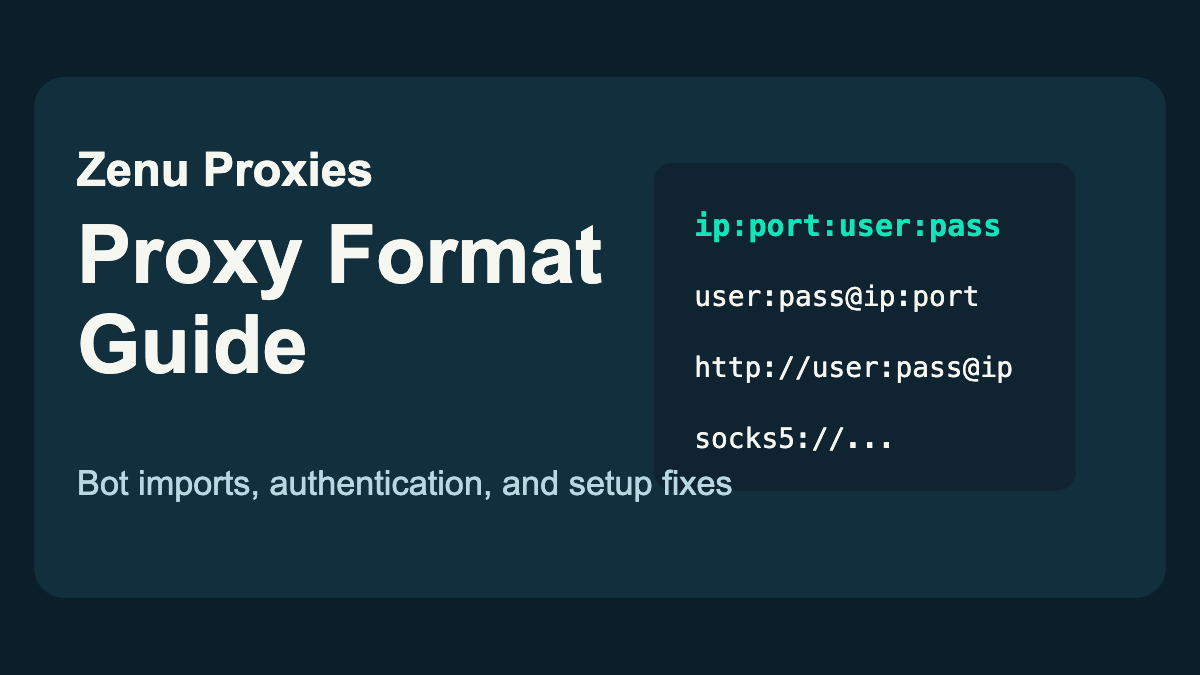
Proxy Format Guide: IP:Port:User:Pass & Proxy URLs
Compare ip:port:user:pass with user:pass@host:port, choose the right proxy protocol, and troubleshoot import errors and HTTP 407 authentication failures.