How to Test Proxies Before a Drop in 2026: Step-by-Step Checklist
Why Proxy Testing Matters
You have your bot configured, tasks ready, profiles loaded, and proxies imported. The drop is in 30 minutes. Everything looks good, but one bad proxy list can still waste the release.
Testing catches the problems that usually hurt drop-day performance:
- Dead proxies that waste task slots
- Authentication errors from wrong format or expired credentials
- Wrong-region proxies that create slow or suspicious routes
- Target-site blocks that a generic speed test will not reveal
- Overloaded lists that time out when traffic spikes
The goal is not to stress-test the store. The goal is to confirm that your list is clean enough to run and then leave it alone.
Quick Proxy Testing Recommendation
| Test Question | Recommended Starting Point |
|---|---|
| First check | Import and format validation |
| Neutral test | Basic connectivity and response time |
| Target test | One light test against the actual store |
| Timing | 30-60 minutes before release |
| Main mistake | Testing repeatedly until clean IPs look noisy |
| Zenu fit | Clean lists, simple formats, and backup coverage |
If you find failures, do not panic-test the same bad proxy over and over. Remove it, replace it, and keep the list quiet before the drop.
When To Test Your Proxies
Timing matters. Test too early and the results may not reflect drop-time conditions. Test too aggressively and you can create the exact traffic pattern you are trying to avoid.
| When | What To Do |
|---|---|
| 24 hours before | Import proxies and fix format errors |
| 2-4 hours before | Run a neutral connectivity test |
| 30-60 minutes before | Run one light target-site test |
| 5 minutes before | Remove failures and stop testing |
What Not To Do
- Do not test every hour all day
- Do not blast the target site with repeated checks
- Do not retry the same failed proxy endlessly
- Do not switch formats randomly without checking the bot docs
- Do not run tests from your laptop if the bot will run on a server
For format-specific troubleshooting, use our proxy format guide.
Step 1: Import and Format Check
Start by making sure every proxy imports cleanly into your bot or proxy manager.
Common format issues:
- Extra spaces or blank lines
- Wrong delimiter order
- Missing username or password
- Protocol prefix in a field that does not support it
- Residential session parameters copied incorrectly
Most sneaker bots expect:
ip:port:username:password
Browser tools and command-line tests often use:
http://username:password@ip:port
If your bot shows import errors, fix the format before doing any live testing. A format error can look like a dead proxy even when the IP is fine.
Step 2: Run a Neutral Connectivity Test
The first real test should confirm that the proxy connects to the internet and responds within a usable window.
Check:
- Does the proxy connect?
- Does it authenticate?
- Does it resolve to the expected country or region?
- Is latency reasonable for the proxy type?
- Are there obvious timeouts or malformed responses?
For this step, a neutral URL is fine. You are not proving site compatibility yet. You are filtering out dead, expired, misformatted, or wrong-region proxies before touching the target store.
Step 3: Test Against the Target Site
A proxy that works on a neutral URL can still fail on the store you actually care about. Run one light target-site test 30-60 minutes before the drop if your bot supports it.
For example, if you are targeting a Shopify store, test that exact store domain. For Target or Walmart, use only a light, permitted request and keep the region coherent with the store or fulfillment flow. For SNKRS or Pokémon Center, be extra conservative and avoid repeated target checks.
Status codes to watch:
| Status Code | Meaning | Action |
|---|---|---|
| 200-299 | Successful response | Keep if region and latency also fit |
| 301-399 | Redirect reached | Review the destination before calling it usable |
| 401 or 403 | Target refused the request | Mark blocked for that target and review once |
| 407 | Proxy authentication required | Check username, password, or IP auth |
| 429 | Rate limited | Set aside or reduce usage |
| 503 | Temporary service issue | Retest once if timing makes sense |
| Timeout | No usable response | Remove the proxy |
A route that merely reaches the target is not automatically usable. A redirect, challenge, login wall, or other non-success response needs review. Do not treat one target-site test as a guarantee; conditions can still change, so keep backups ready.
Target-Specific Test Matrix
| Target | Light Test Goal | Best Starting Pool | What Not To Do |
|---|---|---|---|
| Pokémon Center | Confirm region, continuity, and one usable response | Sticky residential or static ISP | Refresh a queue or rotate mid-session |
| Target | Confirm a permitted route with coherent store or ZIP context | Static ISP or sticky residential | Repeatedly probe availability endpoints |
| Walmart | Confirm a permitted route for the selected fulfillment context | Static ISP or sticky residential | Treat a new IP as a quantity-limit workaround |
| Shopify | Test the exact storefront once | Datacenter, with residential backup | Assume every Shopify store behaves identically |
| Nike SNKRS | Confirm stable connectivity from the intended region | Sticky residential | Rotate one account across locations |
Only test sites and routes you are permitted to access. A proxy changes the network path; it does not grant authorization or override a retailer's terms.
Step 4: Review and Clean Up
After testing, clean up the list:
- Remove failed proxies.
- Remove wrong-region proxies.
- Remove proxies that are too slow for the target site.
- Count how many usable proxies remain.
- Reduce task count or add backups if the list is short.
If more than 20% of the list fails, slow down and diagnose before the release. Check the format, test URL, server location, provider status, and whether the list has already been used heavily.
Good Latency by Site Type
Proxy speed is measured in milliseconds, but the ideal threshold depends on the site.
| Site Type | Good Starting Target | What Matters Most |
|---|---|---|
| Shopify | Under 150-200ms | Fast checkout and clean routes |
| Supreme | Under 150-200ms | Low latency and task discipline |
| Nike SNKRS | Stable under 500ms | Account consistency and sticky sessions |
| Pokemon Center | Stable under 500ms | Queue, cart, and checkout continuity |
| Target | Stable under 500ms | Store, account, and fulfillment continuity |
| Walmart | Stable under 500ms | Account, address, and fulfillment continuity |
| Monitoring only | Depends on delay settings | Reliability and low timeout rate |
For speed-first sites, latency can decide the checkout window. For account-trust sites, a stable residential session is often more important than shaving off a few milliseconds.
Testing by Proxy Type
Datacenter Proxies
Datacenter proxies should be fast and predictable. Remove timeouts, wrong-region routes, and proxies that are much slower than the rest of the list.
Use datacenter proxies for:
- Shopify
- Supreme
- Speed-sensitive monitoring
- Stores where DC ranges are testing clean
Static ISP Proxies
Static ISP proxies should return a consistent region and stable address across repeated neutral checks. They are a strong fit for legitimate Target and Walmart account or checkout sessions where the store, ZIP, address, and network route should stay coherent.
Use static ISP proxies for:
- Target pickup or shipping sessions
- Walmart pickup, delivery, or shipping sessions
- Retail accounts that need one long-lived IP
- Checkout flows where rotation would create unnecessary change
Residential Proxies
Residential proxies need stable sessions and correct routing. Do not over-test them just because they are more trusted. Every test still creates traffic.
Use residential proxies for:
- Nike SNKRS
- Pokemon Center
- Target or Walmart when ISP inventory is unavailable
- Stricter Shopify stores
- Backup checkout tasks when DC is struggling
If you are choosing among the three, read our residential vs ISP vs datacenter proxy guide.
Testing Without a Bot
For a quick spot-check outside your bot, use curl:
curl -x http://username:password@proxy_ip:port https://target-site.com -o /dev/null -s -w "HTTP Code: %{http_code}\nTime: %{time_total}s\n"
This shows the HTTP status code and total request time. It is useful for checking one or two proxies, but your bot or proxy manager is usually better for testing a full list.
Run command-line tests from the same server that will run the bot. Testing from your home network tells you less if the actual drop setup runs in a cloud region.
Testing With Zenu Proxy Tester
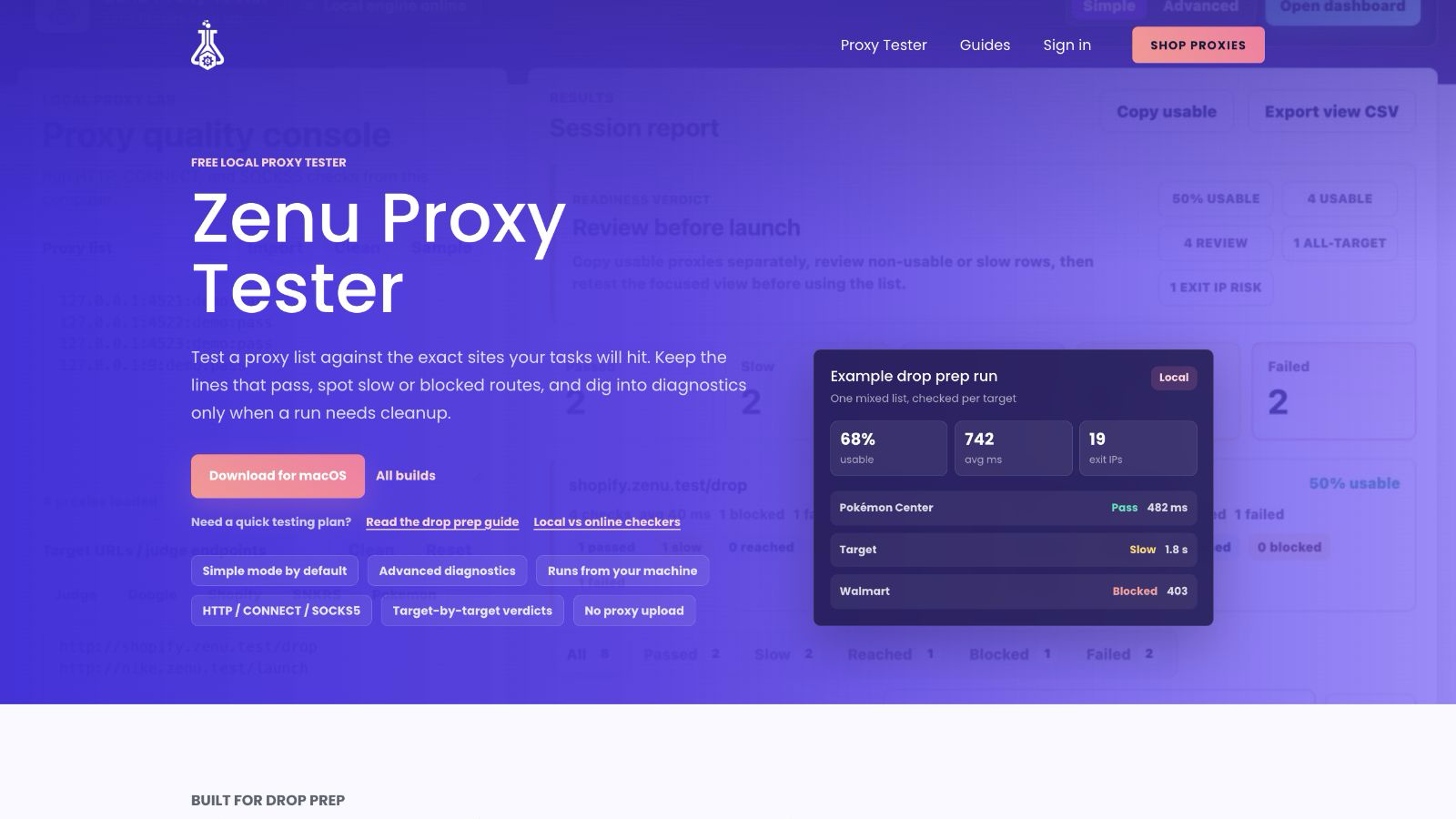
If you want a desktop workflow without routing test traffic through a hosted proxy checker, use Zenu Proxy Tester. It opens in Simple mode for the main pre-drop flow: paste or import a list, add the exact target URLs, run the batch, then review readiness, usable rate, latency, and target-level blocks without digging through extra panels.
For larger batches, the tester also gives you cleanup controls that are hard to get from a generic online checker:
- Switch to Advanced mode for local tester, desktop browser, or mobile Safari request profiles.
- Review Advanced input hygiene preflight for proxy format, target URL, duplicate, and batch-size issues.
- Review the readiness verdict to decide whether the visible set is ready, needs cleanup, or should not be used yet, then copy the recommended usable list.
- Treat usable rates and usable copy actions as successful target responses, not merely any target reachability.
- Filter to one target or copy usable or non-usable proxies directly from that target summary.
- Use Advanced mode to review Exit IP insights, grouped diagnostics, setup files, retests, and masked reports.
- Search or sort the result table before copying a masked summary or exporting diagnostics.
- Use live status-filter counts and the Advanced latency profile before deciding whether a filtered group is fast enough.
- Retest exact visible proxy-target pairs after filtering by target, proxy, status, Exit IP, or diagnostic note.
- Load a masked JSON session later when you need to review diagnostics without restoring raw proxy source lines.
- Clear result filters, search, and sort without deleting the run.
The useful part is the network path. A hosted checker tests from the provider's server. Zenu Proxy Tester runs locally, so the path stays:
your computer -> pasted proxy -> target website
That makes the result more relevant when you plan to run tasks from the same machine or server. For a deeper comparison, read local proxy tester vs online proxy checker.
Common Testing Mistakes
Over-testing. Repeated target-site checks can make clean proxies look noisy before the drop starts.
Testing the wrong URL. A neutral test catches dead proxies, but it does not prove the target store accepts the IP.
Ignoring slow proxies. A proxy can connect and still be too slow for a speed-sensitive release.
Testing from the wrong machine. Run tests from the server or environment that will run the bot.
Panic-testing right before release. If the list tested clean an hour ago, constant last-minute retesting usually adds risk without much value.
Forgetting backup coverage. Keep extra proxies ready so a few failures do not force you to overload the remaining list.
Pre-Drop Proxy Checklist
Use this before every major release:
- Proxies imported without format errors
- Connectivity test completed
- Target-site test completed lightly
- Failed and slow proxies removed
- Proxy count matches or exceeds task count
- Region matches the target site
- Proxy list assigned to the correct task group
- Site-specific lists are kept separate
- Backup proxies are ready
- Testing stops once the list is clean
Choosing Proxies That Test Cleanly
Clean testing starts before the test. Buy enough proxies for your task count, separate lists by site, and avoid stretching a small pool too far.
For most users:
- Shopify and Supreme: datacenter proxies at a 1:1 task ratio
- SNKRS and Pokemon Center: sticky residential sessions at a 1:1 account or checkout-task ratio
- Target and Walmart: static ISP or sticky residential at a 1:1 account or active-session ratio
- Mixed drops: datacenter as the speed list, ISP as the stable retail list, and residential as the flexible regional list
Zenu proxy lists are built for practical drop prep: clear formats, site-focused use cases, and enough flexibility to run datacenter, ISP, and residential setups side by side. Check Zenu's proxy plans before your next release.
Proxy Testing FAQs
When should I test proxies before a drop?
Format-check the list 24 hours before, run a neutral connectivity test a few hours before release, then run one light target-site test 30-60 minutes before the drop.
Should I test proxies against the target site?
Yes, but keep it light. A target-site test catches bans and region issues that generic tests miss, but repeated testing can create unnecessary pre-drop traffic.
Does Zenu Proxy Tester route my checks through Zenu?
No. Zenu Proxy Tester is a standalone desktop app, so checks run from your computer through the proxies you paste and then to the target website.
What latency is good for proxies?
For speed-first sites like Shopify and Supreme, lower is better and under 150-200ms is a useful starting target. For account-trust sites like SNKRS, stable residential sessions matter more than raw latency.
What should I do if many proxies fail testing?
Remove failed proxies, check format and authentication, confirm the test URL, and reduce task count if needed. If a large share of the list fails, replace the list or contact your provider before the drop.
Related guides:
- Free Zenu Proxy Tester App
- Local Proxy Tester vs Online Proxy Checker
- Proxy Format Guide: IP:Port, User:Pass, and Bot Import Formats
- Residential vs ISP vs Datacenter Proxies: Complete Comparison
- How Many Proxies Do You Need?
- How to Reduce Proxy Bans During Drops
- Proxy Speed vs Proxy Quality
- Best Proxies for Shopify
- Best Proxies for Nike SNKRS
- Best Proxies for Target Restocks
- Best Proxies for Walmart Restocks
Related Posts
How Many Proxies Do You Need? Task Ratios by Site in 2026
Learn how many proxies to start with for Pokemon Center, Target, Walmart, Shopify, SNKRS, and other retail restocks.
How to Reduce Proxy Bans During Drops in 2026
Reduce proxy bans during sneaker and retail drops with cleaner task ratios, lighter testing, better regions, and separate proxy lists.
Proxy Speed vs Proxy Quality: What Matters on Drop Day
Learn when proxy speed matters, when proxy quality matters more, and how to balance latency, trust, region, and stability before a drop.