Proxy Format Guide: IP:Port & User:Pass
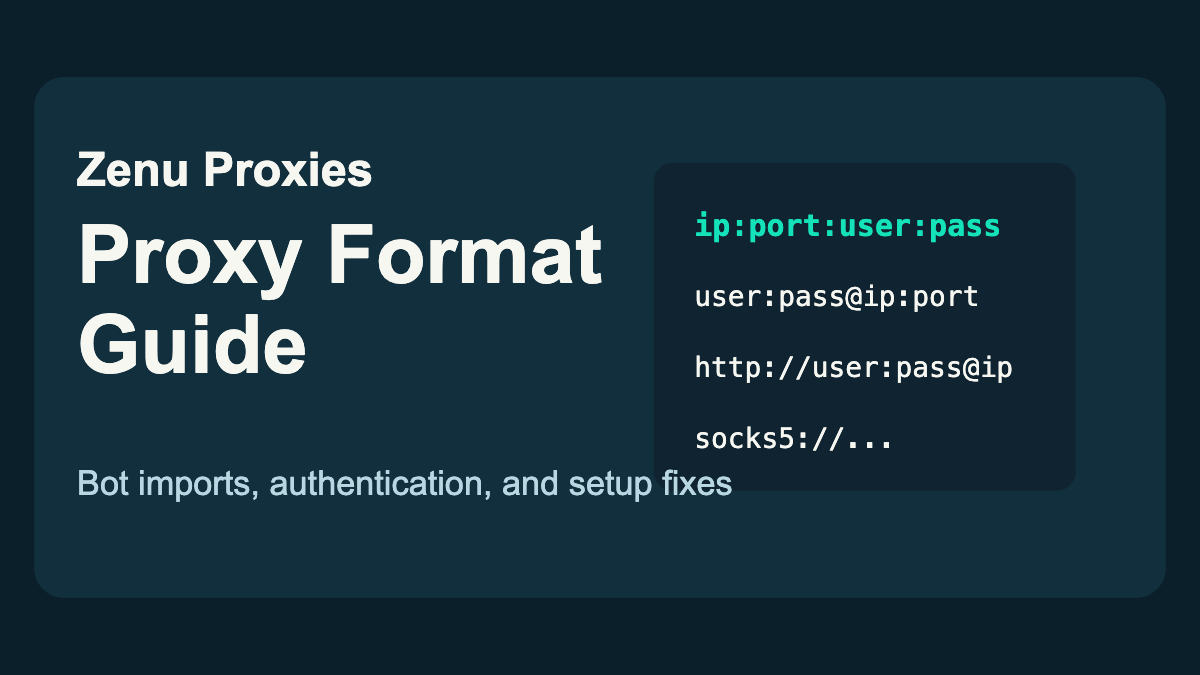
Why Proxy Format Matters
A good proxy list can fail if it is pasted into your bot in the wrong format. Most proxy errors are not caused by the IP itself. They come from swapped usernames, missing passwords, unsupported separators, or trying to import authenticated proxies into a field that expects a different layout.
This guide explains the common proxy formats you will see in sneaker bots, retail bots, browser tools, and proxy testers.
Quick Proxy Format Recommendation
| Use Case | Format To Try First |
|---|---|
| Sneaker bot proxy list | ip:port:username:password |
| Browser extension | ip:port plus separate username/password fields |
| Command-line test | http://username:password@ip:port |
| IP-authenticated proxy | ip:port |
| Residential sticky session | Provider's full ip:port:user:pass line |
If you want a list that imports cleanly into common sneaker bots, Zenu proxy lists are delivered in bot-friendly formats. Check Zenu's proxy plans when you need a fresh setup.
The main 2026 format mistake is not a brand-new syntax. It is copying only part of a residential username that includes session, country, or rotation settings. If your provider gives you a long username, keep it intact unless the dashboard specifically tells you to split it into fields.
The Most Common Proxy Formats
IP:Port
192.0.2.10:8000
This format is used when the proxy does not require a username and password, or when authentication is handled by IP whitelisting.
Use it when your provider says the proxy is IP-authenticated, or when your bot specifically asks for ip:port.
IP:Port:Username:Password
192.0.2.10:8000:zenuuser:zenupass
This is the most common sneaker bot format. The bot connects to the IP and port, then authenticates with the username and password.
Use this format for most authenticated residential and datacenter proxy lists unless your bot says otherwise.
Username:Password@IP:Port
zenuuser:[email protected]:8000
This format is common in browsers, command-line tools, and some proxy testers. It is also a standard URL-style authentication pattern.
Some bots support it, but many sneaker bots prefer ip:port:user:pass.
Protocol Prefix Format
http://zenuuser:[email protected]:8000
https://zenuuser:[email protected]:8000
socks5://zenuuser:[email protected]:8000
Some tools need the proxy protocol included. For sneaker bots, HTTP or HTTPS is usually the default. SOCKS5 should only be used if your provider and bot both support it.
If your bot has a separate dropdown for protocol, do not include the protocol prefix in the proxy line unless the docs say to.
How To Convert Between Formats
If you have:
192.0.2.10:8000:zenuuser:zenupass
Then the URL-style version is:
zenuuser:[email protected]:8000
And the protocol-prefixed version is:
http://zenuuser:[email protected]:8000
The pieces are the same. Only the order changes.
| Field | Example |
|---|---|
| IP | 192.0.2.10 |
| Port | 8000 |
| Username | zenuuser |
| Password | zenupass |
When importing into a bot, make sure no field contains extra spaces. A trailing space after the password can cause authentication failures.
Copy-Paste Conversion Examples
| Starting Format | Convert To | Result |
|---|---|---|
192.0.2.10:8000:zenuuser:zenupass | URL style | zenuuser:[email protected]:8000 |
192.0.2.10:8000:zenuuser:zenupass | HTTP URL | http://zenuuser:[email protected]:8000 |
zenuuser:[email protected]:8000 | Bot style | 192.0.2.10:8000:zenuuser:zenupass |
http://zenuuser:[email protected]:8000 | Bot style | 192.0.2.10:8000:zenuuser:zenupass |
If a bot rejects one format, do not assume the proxy is dead. Convert the same details into the format the bot expects and test again.
Which Format Do Sneaker Bots Usually Use?
Most sneaker bots accept ip:port:user:pass, especially for proxy lists assigned to task groups.
Use this as your default:
ip:port:username:password
Then switch only if the bot's import screen or documentation asks for something else.
Common examples:
| Tool Type | Likely Format |
|---|---|
| Sneaker bots | ip:port:user:pass |
| Browser proxy extensions | user:pass@ip:port or separate fields |
| cURL and scripts | http://user:pass@ip:port |
| IP-authenticated dashboards | ip:port |
| Proxy testers | Varies, often supports multiple formats |
Residential Proxy Session Parameters
Some residential providers include session settings inside the username. It may look something like this:
192.0.2.10:8000:user-session-abc123-country-us:password
That is still ip:port:user:pass. The username is just longer because it contains routing instructions.
Do not split the username apart unless your provider tells you to. Copy the full username exactly as given.
Session parameters can control things like:
- Country
- State or region
- Sticky session ID
- Session duration
- Rotation behavior
For sites like Nike SNKRS and Pokemon Center, sticky sessions are often important. Read our SNKRS proxy guide if you are setting up draw entries.
Authentication Errors and Fixes
If your bot says authentication failed, check these first:
Wrong order. You pasted user:pass:ip:port into a bot that expects ip:port:user:pass.
Extra spaces. Remove spaces before and after each line.
Password contains special characters. Some bots need special characters escaped or regenerated. If a password has @ or :, ask your provider for a simpler password when possible.
Expired plan. The format may be correct, but the proxy subscription may no longer be active.
Wrong protocol. A SOCKS proxy will fail in an HTTP-only field.
IP whitelist mismatch. If the proxy is IP-authenticated, your current server or home IP must be added to the provider dashboard.
Proxy Error Troubleshooting Table
| Error or Symptom | Likely Cause | Fix |
|---|---|---|
| Authentication failed | Wrong order, wrong password, expired plan | Recheck ip:port:user:pass and plan status |
| Connection timeout | Dead proxy, bad route, overloaded list | Remove the proxy or test from another server |
| Wrong country | Session parameter or pool mismatch | Regenerate with the correct country setting |
| Works in tester, fails in bot | Bot expects a different format | Convert to the bot's required format |
| Works at home, fails on server | IP-auth whitelist mismatch | Add the server IP to the provider dashboard |
| All proxies fail at once | Plan expired or copied credentials incorrectly | Check dashboard status and paste a fresh list |
Testing a New Proxy List
After importing a proxy list:
- Test basic connectivity.
- Confirm the country or region is correct.
- Remove duplicates.
- Remove timeouts and authentication failures.
- Test lightly against the target site if your bot supports it.
Do not repeatedly test against the target site for no reason. You can burn good proxies by creating suspicious pre-drop traffic.
For a full pre-drop workflow, read how to test your proxies before a drop.
Format Examples by Use Case
For Shopify and Supreme bots:
ip:port:username:password
For a browser extension:
ip:port
Then enter username and password into the extension fields.
For command-line testing:
http://username:password@ip:port
For IP-authenticated datacenter proxies:
ip:port
The Bottom Line
Proxy format is simple once you know which part is which. Most sneaker bots want ip:port:user:pass, while browsers and scripts often prefer user:pass@ip:port or a protocol-prefixed version.
When in doubt:
- Check the bot's proxy import screen
- Keep one proxy per line
- Remove extra spaces
- Match the protocol
- Test once before the drop
Zenu proxy lists are delivered in bot-friendly formats so you can import them quickly and spend less time fighting setup errors. Check Zenu's proxy plans when you are ready for a clean list.
Proxy Format FAQs
What proxy format do most sneaker bots use?
Most sneaker bots use ip:port:username:password for authenticated proxy lists. Always check the bot import screen before changing the format.
What is the difference between ip:port:user:pass and user:pass@ip:port?
They contain the same proxy details in a different order. Sneaker bots usually prefer ip:port:user:pass, while browsers and scripts often use user:pass@ip:port.
Why does my proxy say authentication failed?
Authentication failures usually come from the wrong proxy order, extra spaces, expired credentials, special characters in the password, wrong protocol, or an IP whitelist mismatch.
Do residential proxy usernames need to stay exactly the same?
Yes. Residential proxy usernames can include session, country, or rotation settings, so copy the full username exactly as your provider gives it.
Related guides:
Related Posts
Best Proxies for Adidas CONFIRMED in 2026
Learn the best proxies for Adidas CONFIRMED drops, including residential setup, sticky sessions, task ratios, regions, and testing tips.
How Many Proxies Do You Need? Task Ratios by Site in 2026
Learn how many proxies to start with for Pokemon Center, Target, Walmart, Shopify, SNKRS, and other retail restocks.
How to Reduce Proxy Bans During Drops in 2026
Reduce proxy bans during sneaker and retail drops with cleaner task ratios, lighter testing, better regions, and separate proxy lists.