Residential vs ISP vs Datacenter Proxies (2026 Guide)
What Are Proxies and Why Do They Matter?
Limited-release sites can sell out in seconds, and most serious bot setups need more than one connection path. A proxy sits between your bot, browser, or server and the target site. Instead of every task sharing one IP address, each task can use its own proxy.
That matters because repeated requests from one IP can create rate limits, challenges, blocked sessions, or checkout failures. The right proxy setup gives each task a cleaner network lane.
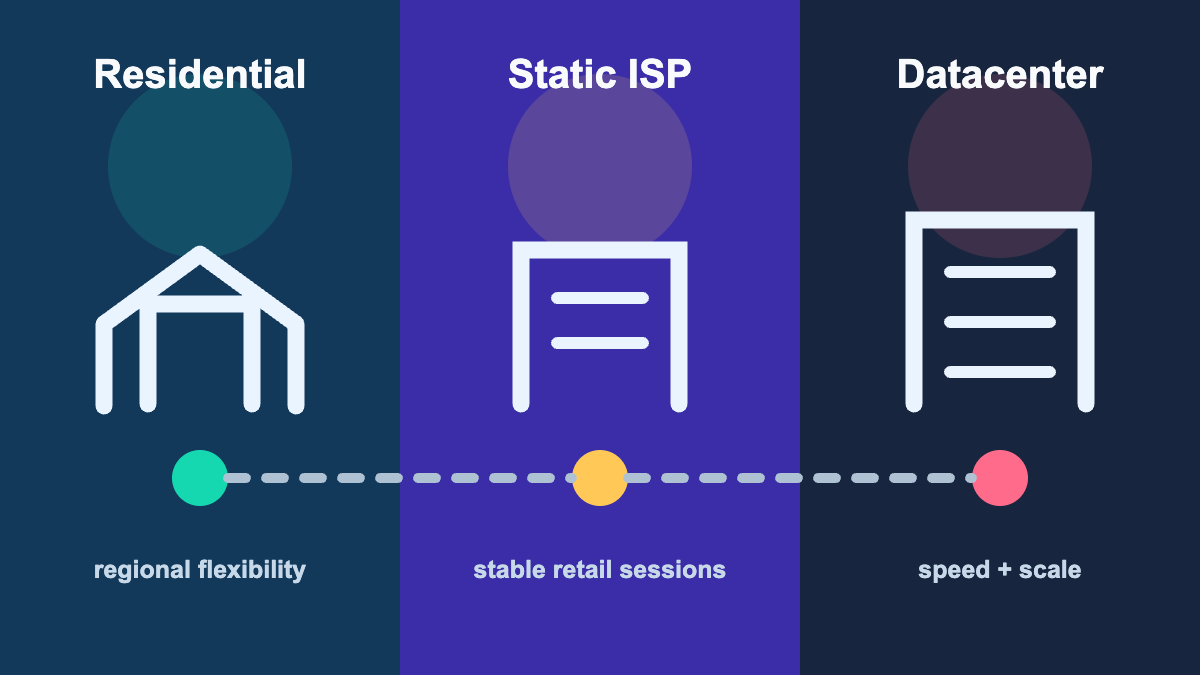
The three practical choices are residential proxies, static ISP proxies, and datacenter proxies. None is universally better. They solve different network and session problems.
Quick Decision Table
| If You Need | Choose | Why |
|---|---|---|
| Lowest latency | Datacenter | Fast server-based routing |
| Better residential trust signal | Residential | ISP-assigned IPs look more like normal shoppers |
| Stable retail account session | Static ISP | Fixed address with an ISP network identity |
| Affordable scale | Datacenter | Easier to buy one proxy per task |
| Flexible regional routing | Sticky residential | Better when region choice matters |
| Shopify or Supreme speed | Datacenter | Speed and task volume matter |
| SNKRS or Pokemon Center stability | Residential | Trust and session continuity matter |
| Target or Walmart checkout | Static ISP | Location-aware, account-based sessions benefit from stability |
If you only buy one type, buy for your primary target site. If you target multiple sites, a hybrid setup usually performs better than forcing one proxy type into every workflow.
What Are Residential Proxies?
Residential proxies route traffic through IP addresses assigned by internet service providers to real homes or consumer networks. To a website, the IP looks closer to ordinary shopper traffic than a server-hosted datacenter IP.
Residential proxies are useful when:
- The site cares about account trust and session history
- The checkout flow includes queues, challenges, or stricter screening
- Location consistency matters for account, billing, or shipping behavior
- You need sticky sessions that hold one IP through login, cart, and checkout
The tradeoff is cost and speed. Residential proxies usually cost more per unit of usage and can be slower than datacenter proxies because the traffic takes a less direct route.
What Are Static ISP Proxies?
Static ISP proxies use addresses announced by consumer internet providers while the proxy itself is hosted for stable, always-on access. They sit between residential and datacenter products: the network identity is ISP-based, but the address stays fixed and performance is typically more predictable than a rotating residential pool.
Static ISP proxies are useful when:
- One retail account needs one consistent IP
- Store, ZIP code, billing, and shipping geography should remain coherent
- Login, cart, pickup, delivery, and payment must stay on the same route
- You want flat per-IP planning instead of bandwidth-based rotation
The tradeoff is availability and price. The best region or provider mix may not always be in stock, and ISP proxies usually cost more per address than standard datacenter proxies.
What Are Datacenter Proxies?
Datacenter proxies come from server infrastructure instead of residential ISP networks. They are fast, predictable, and easier to buy in bulk.
Datacenter proxies are useful when:
- The drop rewards speed
- You need many tasks at an affordable price
- The target store is testing clean on datacenter ranges
- You want flat-rate proxy counts instead of bandwidth-based usage
The tradeoff is trust. Some sites are more likely to classify datacenter ranges as automated or non-residential traffic, especially when many tasks share the same subnet or when the list has been abused.
Residential vs ISP vs Datacenter: Head-to-Head
| Feature | Residential Proxies | Static ISP Proxies | Datacenter Proxies |
|---|---|---|---|
| Speed | Moderate | Fast to moderate | Fast |
| Network identity | Consumer or residential ISP | ISP-announced, fixed address | Hosting or server network |
| Cost model | Often usage or GB-based | Often flat per IP | Often flat per IP |
| Best fit | Regional choice, queues, sticky sessions | Target, Walmart, retail accounts | Shopify, Supreme, speed-first drops |
| Session style | Rotating or sticky | Static | Usually static |
| Scale | Flexible, but bandwidth-sensitive | Focused stable pools | Strong for high task counts |
| Main risk | Rotation or bandwidth burn | Limited region/inventory choice | Blocks, rate limits, or noisy subnets |
Do not choose based on the label alone. Choose based on the site, account setup, task count, region, and release style.
Site-by-Site Proxy Recommendations
| Target Site | Best Starting Type | Suggested Ratio | Notes |
|---|---|---|---|
| Shopify | Datacenter | 1 proxy per task | Keep residential backup for stricter stores |
| Supreme | Datacenter | 1 proxy per task | Add 10-20% spares for retries |
| Nike SNKRS | Sticky residential | 1 proxy per account | Keep account and region signals consistent |
| Pokemon Center | Sticky residential | 1 proxy per checkout task | Keep queue, cart, and checkout on the same session |
| Target | Static ISP or sticky residential | 1 proxy per account/session | Keep store, ZIP, and route coherent |
| Walmart | Static ISP or sticky residential | 1 proxy per account/session | Separate pickup, delivery, and shipping flows |
| Unknown retail site | Start small with both | Test lightly | Let target-site testing decide |
This is the core buying logic. Shopify and Supreme usually reward speed and affordable scale. SNKRS and Pokémon Center need sticky continuity. Target and Walmart add store, ZIP, account, and fulfillment context, making static ISP proxies especially useful.
When To Use Residential Proxies
Nike SNKRS
SNKRS is account-centric. Nike draw rules require a member profile, valid email, verified mobile phone number, and one submission per person per launch product. That means proxy setup cannot make weak accounts strong, but it can help keep account network behavior consistent.
Recommended setup:
- One sticky residential proxy per SNKRS account
- Same country as the account profile
- Stable session through login, entry, and result checking
- Minimal target testing before the draw
For the full setup, read our SNKRS proxy guide.
Pokemon Center
Pokemon Center can place shoppers into a virtual queue during high-traffic periods, and the queue flow rewards stable sessions. If a task changes IP mid-queue, cart, or checkout, the session can become less reliable.
Recommended setup:
- Sticky residential sessions for checkout tasks
- One proxy per serious checkout task
- US residential IPs for US Pokemon Center targets
- Separate monitoring and checkout proxy lists
For the full setup, read our Pokemon Center proxy guide.
Stricter Retail Sites
Some retail sites use extra bot protection, queue systems, or risk checks. If datacenter proxies are getting repeated challenges or 403 responses, test sticky residential proxies before changing every other part of your setup.
When To Use Static ISP Proxies
Target
Target availability and pickup depend on the selected store or shopping location. A static ISP proxy gives an account one stable route while preserving an ISP network identity.
Recommended setup:
- One static ISP proxy per legitimate account or checkout session
- Region coherent with the selected store or shipping ZIP
- Same IP through login, cart, fulfillment choice, and payment
- 10-20% spares for failed connectivity checks
Read our Target restock proxy guide for Pokémon cards, pickup, shipping, and preorder planning.
Walmart
Walmart separates pickup, delivery, and shipping workflows. Each session benefits from a stable route that agrees with the account, address, selected store, and fulfillment path.
Recommended setup:
- One static ISP proxy per legitimate account or active checkout session
- Separate pickup, delivery, and shipping session groups
- Stable route through store or address selection and payment
- Respect Walmart's quantity limits and terms
Read our Walmart restock proxy guide for a complete setup.
When To Use Datacenter Proxies
Shopify
Many Shopify drops are speed-sensitive. Shopify also documents Cloudflare, hCaptcha, and optional Plus bot-protection events, so the best setup is not "spam faster." It is clean, fast, one-proxy-per-task execution.
Recommended setup:
- One datacenter proxy per task
- Region close to the store/customer market
- 10-20% backup proxies
- One light target-store test before release
For the full setup, read our Shopify proxy guide.
Supreme
Supreme drops are usually speed-focused, and datacenter proxies are a practical default when the list is clean. Residential proxies can still help as backup when a DC range has a bad week.
Recommended setup:
- One datacenter proxy per task
- Store-region matching for US, EU, or JP releases
- 10-20% spares
- Residential backup list for problem sessions
For the full setup, read our Supreme proxy guide.
Speed-Critical Monitoring
Datacenter proxies also fit speed-critical monitoring and availability checks where low latency matters more than residential trust. Keep monitoring lists separate from checkout lists so you do not burn your best proxies before the buying window.
Sticky vs Rotating Proxies
Proxy type and rotation style are separate decisions.
| Session Type | Best Use | Avoid When |
|---|---|---|
| Sticky residential | Login, queue, cart, checkout, SNKRS entries | You need broad scraping or discovery |
| Static ISP | Target, Walmart, retail accounts, stable checkout | You need constant rotation |
| Rotating residential | Light, permitted browsing or monitoring | The same account must hold one IP |
| Static datacenter | Shopify, Supreme, speed-first tasks | The target site is punishing DC ranges |
For account-based flows, static ISP or sticky residential sessions are usually safer. For speed-first task groups, static datacenter proxies are easier to manage.
How To Choose Your First Proxy Plan
Ask four questions before buying:
- What site are you targeting? Shopify and Supreme usually start with datacenter, Target and Walmart with static ISP, and SNKRS and Pokémon Center with sticky residential.
- How many tasks or accounts are you running? Size the plan around a 1:1 ratio.
- What region do you need? Keep proxy, account, store, and server geography coherent.
- Do you need backups? Add 10-20% extra routes for datacenter and ISP pools, or a few spare sticky sessions for residential flows.
If you are running a mixed calendar, buy focused pools by workflow instead of one oversized generic list.
Common Proxy Selection Mistakes
Choosing only by speed. A fast IP that fails target-site checks is not useful.
Choosing only by network label. ISP or residential routing cannot rescue a mismatched account, region, payment profile, or task configuration.
Using too few proxies. Sharing one IP across many tasks increases shared failures.
Rotating during checkout. Sticky sessions matter when the same account or checkout flow needs continuity.
Ignoring region. A distant route can hurt speed and make account behavior less coherent.
Reusing burned lists. Keep lists organized by site and retire them when failure patterns repeat.
The Hybrid Approach
Many serious users do not choose one type forever. They use all three where each one fits:
- Datacenter proxies for Shopify and Supreme
- Static ISP proxies for Target and Walmart checkout sessions
- Sticky residential proxies for SNKRS and Pokémon Center
- Residential backup for stricter Shopify stores
- Separate monitoring and checkout lists
This approach keeps costs under control while matching each site with the proxy type it is most likely to reward.
Zenu offers datacenter, static ISP, and residential options so you can match each list to the release instead of forcing one proxy type everywhere. Check Zenu's proxy plans when you are ready to build the mix.
Residential vs ISP vs Datacenter Proxy FAQs
What is the difference between residential, ISP, and datacenter proxies?
Residential proxies use consumer-network IPs and may rotate, static ISP proxies combine an ISP network identity with a fixed server-hosted session, and datacenter proxies prioritize speed and affordable scale.
Should I use residential or datacenter proxies for Shopify?
Use datacenter proxies as the default for many Shopify drops, then keep residential proxies as a backup for stricter stores or queue-like checkout flows.
Should I use residential or datacenter proxies for SNKRS?
Use sticky residential proxies for Nike SNKRS because account consistency and residential-looking sessions matter more than raw speed.
Are ISP proxies good for Target and Walmart?
Yes. Static ISP proxies are a strong starting point for legitimate Target and Walmart account, pickup, delivery, and checkout sessions because the IP stays stable while retaining an ISP network identity.
Related guides:
Related Posts
Best Proxies for Target Pokémon Card Restocks (2026)
Choose proxies for Target Pokémon card restocks, store pickup, shipping, and preorder flows without sacrificing session or location consistency.
Best Proxies for Walmart Pokémon Card Restocks (2026)
Choose proxies for Walmart Pokémon card restocks, shipping, pickup, and delivery while keeping accounts, stores, and checkout sessions consistent.
Best Proxies for Adidas CONFIRMED in 2026
Learn the best proxies for Adidas CONFIRMED drops, including residential setup, sticky sessions, task ratios, regions, and testing tips.