Local Proxy Tester vs Online Proxy Checker: Which Should You Use?
The Short Answer
Use a local proxy tester when the proxy list matters.
An online proxy checker can be useful for quick formatting or connectivity checks, but it changes the network path and requires you to send proxy details to someone else's server. That makes the result less representative of your own setup and less private for authenticated proxy lists.
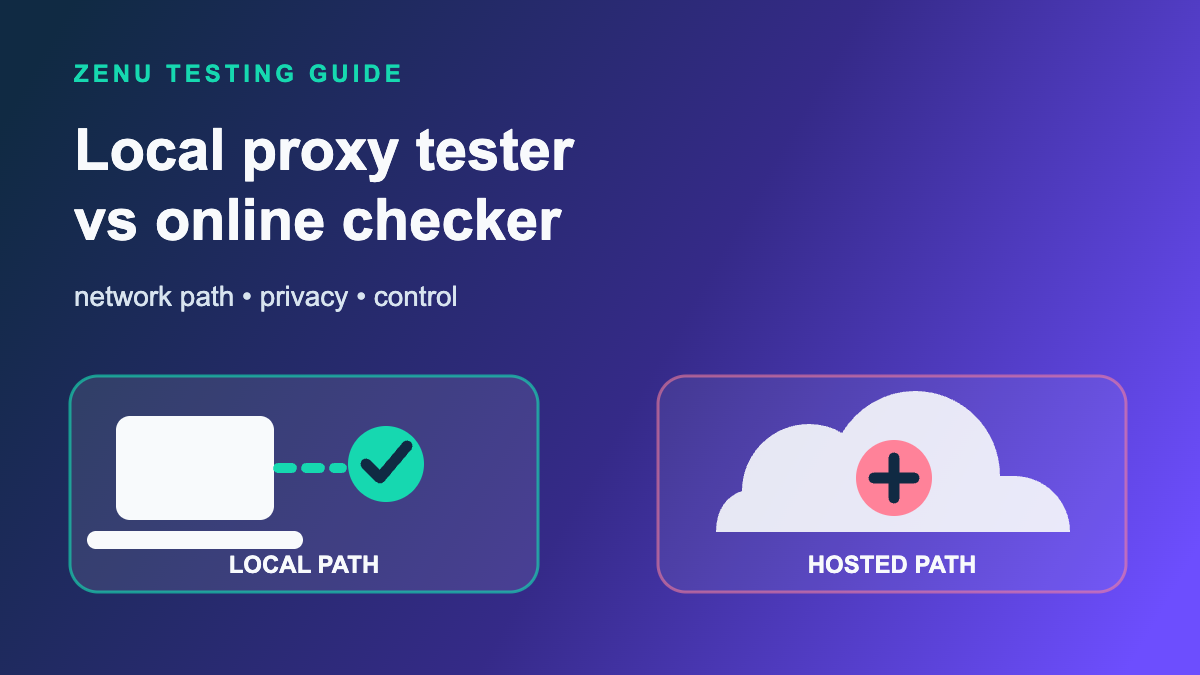
A local proxy tester runs from your machine. The request path is:
your computer -> pasted proxy -> target website
That is the path you actually care about before a drop, checkout window, monitoring run, or account task.
Why Network Path Changes the Result
Proxy testing is not just asking, "Does this IP respond?"
The better question is:
Can this proxy reach the target site from the environment where I will actually use it?
Hosted online checkers run from the checker provider's infrastructure. Their path is:
online checker server -> pasted proxy -> target website
That can hide problems or create false alarms.
For example:
- A target site might allow requests from your residential connection but block the online checker server.
- A proxy might work from one region but fail from another.
- A target might respond differently to a generic checker user agent than to your local workflow.
- A hosted checker might test a neutral endpoint instead of the store, queue page, or account page you care about.
This is why a proxy that "passes" in an online checker can still fail in your bot, and a proxy that "fails" in a hosted checker may still work from your own machine.
Credential Privacy Matters
Most paid proxy lists are authenticated. A line might include:
host:port:username:password
http://username:password@host:port
socks5://username:password@host:port
If you paste that into a hosted checker, the service receives the proxy credentials. Some checkers may handle that responsibly. Others may log requests, retain submitted lists, or route checks through systems you cannot inspect.
For low-value public proxies, that risk may not matter. For paid residential, ISP, or datacenter lists, it does.
A local-first tester avoids that tradeoff. The app can parse and test the list on your machine, mask credentials in the UI and exports, and avoid sending proxy lines to the tester vendor.
What Online Proxy Checkers Are Good For
Hosted checkers are not useless. They are just limited.
They can be fine for:
- Checking whether a public proxy is alive.
- Testing a few non-sensitive proxies.
- Confirming a rough proxy format.
- Comparing a neutral endpoint from the checker's server.
They are weaker for:
- Authenticated paid proxy lists.
- Target-specific blocking checks.
- Sneaker, retail, ticketing, or account workflows.
- Retesting the exact subset you plan to use.
- Keeping credentials and target choices local.
What a Local Proxy Tester Should Show
A launch-ready local tester should do more than return "working" or "dead." The best flow starts simple, then exposes advanced controls only when the batch needs deeper investigation.
Look for:
| Capability | Why it matters |
|---|---|
| Target URL testing | Shows whether the proxy reaches the actual site you care about. |
| HTTP, HTTPS CONNECT, and SOCKS5 support | Matches common proxy formats and protocols. |
| Simple mode | Keeps the first pass focused on proxy input, target input, readiness, status totals, target summaries, search, and usable copy. |
| Advanced mode | Reveals deeper controls and review panels without crowding the default workflow. |
| Input hygiene preflight | Shows proxy format, target URL, and duplicate issues before a batch starts in Advanced mode. |
| Request profiles | Lets Advanced users compare local-tester, desktop-browser, and mobile-style target responses. |
| Timeout and retry controls | Separates dead proxies from temporarily slow ones, with deeper pacing controls available in Advanced mode. |
| Concurrency and delay controls | Avoids hammering the target during prep. |
| Readiness verdict | Summarizes whether the visible result view is ready, risky, or blocked, then copies the recommended usable or cleanup proxy list. |
| Target-level summaries | Shows which proxies work on each site instead of hiding blocks in a flat table. |
| Target-specific copy | Copies usable or non-usable proxies directly from one target summary. |
| Exit IP insight cards | Shows observed, shared, and mixed egress IPs from judge endpoints, with Exit IP card proxy copy for duplicate or rotating session cleanup. |
| Diagnostic-group copy | Copies proxies with the same repeated failure note for cleanup or provider support. |
| Exact visible retests | Retests only the filtered proxy-target pairs you are reviewing, without expanding back into a full grid. |
| Resettable result views | Returns to the full result table after filtering, searching, sorting, or focusing one proxy. |
| Reached-response copy | Separates proxies that reached the target but saw a non-success status from true network failures. |
| Strict usable copy | Keeps non-success reached responses out of usable rates and usable proxy lists. |
| Visible-view copy | Copies every source proxy in the filtered or searched result view. |
| View-scoped summaries | Keeps status totals, target/proxy summaries, diagnostics, recommendations, and copy actions aligned with the visible table. |
| Live status counts | Shows passed, slow, reached, blocked, and failed counts inside the status filters for the current search or proxy focus. |
| View-scoped latency profile | Shows average, P50, P95, and max latency for the visible result set and carries those stats into copied summaries and masked exports. |
| Exit IP sorting | Groups observed judge IPs in the visible table so shared or rotating egress is easier to inspect. |
| Non-usable copy | Builds one review list from visible reached, blocked, and failed rows. |
| Slow, failed, and blocked copy | Creates focused cleanup or replacement lists from visible slow, failed, or blocked rows. |
| Masked exports | Lets you share diagnostics without leaking proxy credentials. |
| Masked session review | Lets you load a JSON session export later without restoring raw proxy source lines. |
| Local setup files | Lets you save the exact proxy, target, and settings workflow for later retests. |
This is the product shape behind Zenu Proxy Tester. It opens in Simple mode for the common run-and-review workflow, with Advanced mode available for audits, diagnostics, setup files, Exit IP review, retests, and masked exports. It is a desktop app so proxy checks originate from your machine, not from Zenu infrastructure.
A Practical Testing Workflow
Use this sequence before a release:
- Import or paste the proxy list locally.
- Clean duplicates and obvious formatting issues.
- Run the Simple mode batch first so you can see readiness, target summaries, and status totals.
- Run a small neutral connectivity check.
- Switch to Advanced mode when you need input hygiene, request profiles, pacing controls, diagnostics, or Exit IP review.
- Review the readiness verdict and copy its recommended usable or cleanup proxy list before moving into a workflow.
- Copy target-specific usable or non-usable proxies when one site matters most.
- Review visible Exit IP insight cards when a judge endpoint shows shared or mixed egress IPs.
- Copy shared or rotating Exit IP proxies from those cards when the egress pattern needs cleanup.
- Review blocked, failed, and slow results separately.
- Copy diagnostic-group proxies when a repeated note points to one cleanup or support queue.
- Clear the result view when you need to return to the full table without deleting the run.
- Retest exact visible proxy-target pairs when a focused subset needs confirmation.
- Copy reached proxies when you need to inspect non-success target statuses.
- Sort by Exit IP when you need to inspect observed judge IP groups in the table.
- Copy the visible source proxy list when a filtered result view is the exact group you want to keep reviewing.
- Use view-scoped summaries to keep totals, diagnostics, recommendations, and copy actions aligned with the visible table.
- Use live status counts to choose the next passed, slow, reached, blocked, or failed view.
- Review the view-scoped latency profile before deciding whether the filtered group is fast enough.
- Copy non-usable proxies when you need one combined review list.
- Copy slow proxies into a latency cleanup list, and copy failed or blocked proxies when you need replacements.
- Load a masked session export later when you need to review diagnostics without restoring raw proxy source lines.
- Save the visible filtered subset as a setup file if you need the same focused workflow later.
- Copy only passed or strictly usable proxies into the bot or browser workflow.
- Stop retesting once you have a clean list.
The last point matters. Repeated tests can create unnecessary target traffic from the same IPs. The goal is confidence, not endless probing.
When Local Testing Is Not Enough
Local testing is not magic. It cannot guarantee a proxy will keep working during a real release.
Conditions can change:
- The target site can tighten rules during high traffic.
- A provider can rotate or expire a session.
- A proxy can become slower under load.
- Bot settings, account trust, cookies, and payment profile quality can still affect outcomes.
But local testing gives you better evidence than a generic hosted checker because it keeps the path, credentials, and target choices aligned with your real workflow.
Recommended Setup
For most paid proxy lists:
- Use a local tester for authenticated proxies.
- Test against one neutral endpoint and the actual target site.
- Keep concurrency reasonable.
- Export masked reports when you need to troubleshoot.
- Load masked session exports when you need to review a prior run.
- Save focused setup files for retesting only the subset that needs another look.
If you need a local workflow, download Zenu Proxy Tester or read the full proxy testing checklist.
FAQs
Is a local proxy tester more accurate than an online proxy checker?
A local tester is usually more useful for release prep because the request starts from your computer, then goes through your proxy to the target site. That better matches the path your bot or browser is likely to use.
Do online proxy checkers see my proxy credentials?
If you paste authenticated proxies into a hosted checker, that service receives the proxy host, port, username, and password. Only use hosted tools you trust, and avoid sending sensitive proxy lists when a local tester can do the job.
When should I use an online proxy checker?
Use an online checker only for quick low-risk spot checks or public, non-sensitive proxies. For target-specific testing, authenticated lists, or pre-drop cleanup, use a local tester.
Related guides:
Related Posts
How to Reduce Proxy Bans During Drops in 2026
Reduce proxy bans during sneaker and retail drops with cleaner task ratios, lighter testing, better regions, and separate proxy lists.
Proxy Speed vs Proxy Quality: What Matters on Drop Day
Learn when proxy speed matters, when proxy quality matters more, and how to balance latency, trust, region, and stability before a drop.
How to Test Proxies Before a Drop in 2026: Step-by-Step Checklist
Learn how to test proxies before Pokemon Center, Target, Walmart, Shopify, sneaker, and other retail restocks.